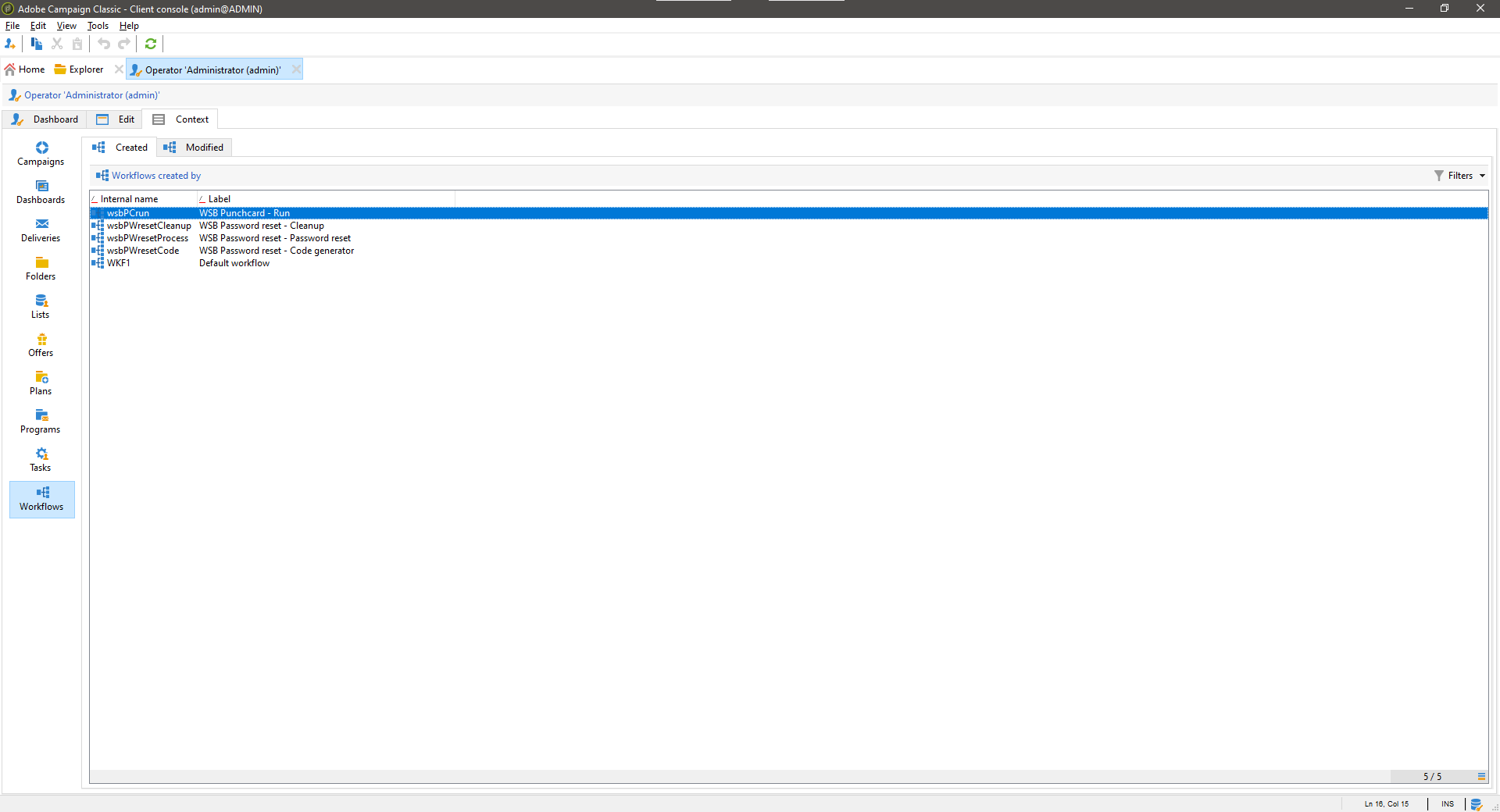
Get insights in what's linked to an operator before disabling it
The operator context form is an input form that you can reference from the operator form. This reduces the risk of messing up the operator form. It relies on the created-by and modified-links that are natively present in the dataschemas. Based on which packages are installed, certain tabs might be shown or not, this to prevent errors.
When you install the operator context package, the following objects will be created.
You can simply download the package using the link above and install it on your instance. Next you'll need to add the following line of code to the operator input form (cf. nms:operator) to show the tab. Implement as shown below. Once done, go to the operator folder and click one, the tab should be shown.
Sample text. Lorem ipsum dolor sit amet, consectetur adipiscing elit, sed do eiusmod tempor incididunt ut labore et dolore magna aliqua. Sit amet tellus cras adipiscing enim. Ut porttitor leo a diam sollicitudin. Turpis in eu mi bibendum neque egestas congue quisque egestas. Viverra adipiscing at in tellus integer. Blandit volutpat maecenas volutpat blandit aliquam etiam erat velit. Lectus sit amet est placerat in egestas.
The source code of this feature is available on Azure DevOps
Find out moreYou can use it all for free, but you need to be aware of the following





This website is using essential cookies to improve your experience. By using this website, you agree with the use of these cookies. More info.